Site Data Authentication
Walrus Sites use SHA-256 hashes stored on Sui to verify that every resource served by a portal matches the content the site owner originally published.
How authentication works
When you publish a Walrus Site using the site-builder tool, each resource file (HTML, CSS, JavaScript, images, and so on) is uploaded to Walrus as a blob. For each resource, the Walrus Sites resource object on Sui stores two pieces of information alongside the resource path:
- The Walrus blob ID that identifies where the content lives in Walrus storage
- A SHA-256 hash of the resource's raw content
The SHA-256 hash acts as a cryptographic fingerprint of the file at the time you published the site. Because SHA-256 is a one-way hash function, even a single-byte change to a file produces a completely different hash value. This means the hash stored on Sui accurately represents the original content as the site owner intended it.
When a visitor requests a resource through a portal, the portal:
- Reads the blob ID and expected SHA-256 hash from the Sui object
- Fetches the blob from Walrus storage through an aggregator
- Computes the SHA-256 hash of the data it received
- Compares the computed hash against the hash stored on Sui
If the hashes match, the portal serves the content to the visitor. If the hashes do not match, the portal displays the following warning page instead of serving potentially tampered content:
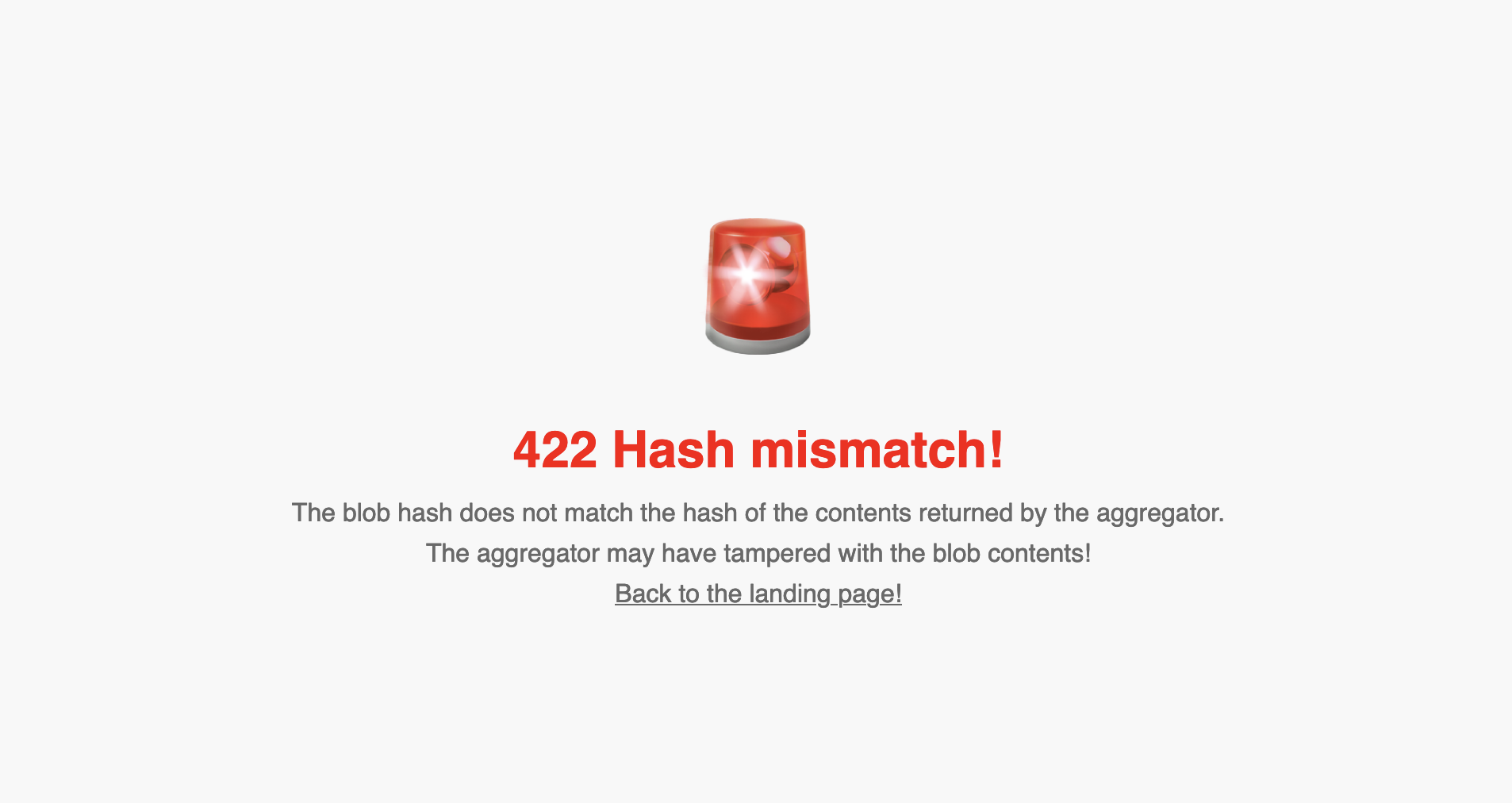
This mechanism protects against a class of attacks where a malicious aggregator or caching layer intercepts a blob and substitutes different content before returning it to the portal.
The hash stored on Sui is set at publish time and is as trustworthy as Sui itself. Anyone who controls the Sui private key that owns the site object can update the resource hashes, which is how legitimate site updates work.
What authentication does and does not cover
Understanding the scope of Walrus Sites data authentication helps you reason accurately about the security of a site.
Authentication covers the following scenarios:
- A malicious or compromised Walrus aggregator returns modified blob content
- A CDN or caching proxy between the aggregator and the portal alters the response
- A network-level attacker modifies blob data in transit after it leaves Walrus storage
Authentication does not cover the following scenarios:
- A site owner publishes malicious content intentionally (the hash of malicious content still matches)
- The Sui object itself is compromised (for example, if the site owner's private key is stolen and an attacker publishes new resource hashes pointing to different content)
- The portal provider delivers a modified service worker that skips or bypasses hash verification (in the service-worker case)
- DNS or TLS attacks that redirect the portal itself to an attacker-controlled server
Authentication only guarantees that the content you receive matches what is recorded on Sui. It does not guarantee that what is recorded on Sui is safe or trustworthy. Always verify that you are browsing a site through a portal and Sui object you have reason to trust.
Trust model summary
There are 3 portal deployment types: remote server-side, remote service-worker, and local. The following table summarizes the trust requirements for each:
| Portal type | Who performs hash verification | Who you must trust |
|---|---|---|
| Remote server-side | Portal server | Portal operator |
| Remote service-worker | Your browser | Portal operator (for initial code delivery) |
| Local | Your browser | Yourself |
In all 3 cases, the reference hash stored on Sui is treated as the authoritative source of truth. The only way to change what hash a resource is verified against is to submit a transaction on Sui using the private key that owns the site object.
Authentication guarantees
The strength of the authentication guarantee depends on how much you trust the portal you use to browse a Walrus Site.
Remote server-side portal
A server-side portal is an HTTP server that fetches site resources from Walrus, performs hash verification, and returns the result to your browser. The portal code runs on a server controlled by the portal operator, not in your browser.
In this setup:
- You must fully trust the portal provider to run the authentication check correctly and honestly.
- If the portal provider is honest, the authentication mechanism guarantees that neither the aggregator nor any cache between Walrus and the portal tampered with the blob content.
- You have no way to independently inspect or verify the portal's server-side code at request time.
The portal/server directory in the walrus-sites repository contains the reference implementation of this type of portal. When in doubt about which portal type to deploy, use the server-side portal.
Remote service-worker portal
A service-worker portal delivers JavaScript to your browser that intercepts all network requests and performs authentication locally, inside your browser's service worker context. The portal provider's server is only responsible for delivering the service worker code itself.
In this setup:
- You must trust the portal provider to deliver correct, unmodified service worker code on the initial load.
- After the service worker is installed, your browser performs all fetching and hash verification directly, without any further involvement from the portal provider's server.
- You can inspect the service worker source code that the portal delivers and, if desired, compare its hash against a known-good version published by the site operator.
This provides a stronger guarantee than the server-side portal because the authentication logic runs in an environment you can directly observe. The downside is that the initial delivery of the service worker code is still a trust point.
The portal/worker directory in the walrus-sites repository contains the reference implementation of this type of portal.
The service-worker portal is no longer hosted publicly by Mysten Labs. You can run it locally. See Deploying a Local Portal for instructions.
Local portal deployment
A locally deployed portal gives you the highest level of authentication confidence. You clone the walrus-sites repository, inspect the code yourself, and run the portal on your own machine at localhost.
In this setup:
- You control the portal code end-to-end.
- You can verify every line of the authentication logic before running it.
- No third party is involved between your browser and the Walrus network.
- The portal fetches blobs from Walrus aggregators and performs hash verification against Sui data, all under your direct observation.
Running a local portal is the recommended approach for security-critical use cases or any time you want to independently verify that site data is exactly what the original developer published.
To run the local portal, clone the repository and follow the portal setup guide:
$ git clone https://github.com/MystenLabs/walrus-sites
$ cd walrus-sites/portal
See Deploy a Local Portal for the full setup instructions.
How hash verification relates to the site-builder
When you run site-builder deploy, the tool computes a SHA-256 hash of each resource file before uploading it to Walrus. This hash is embedded in the Sui transaction that creates or updates the site object. The Walrus blob upload and the Sui metadata update happen together as part of the same deployment operation.
Because the hash is recorded on Sui at publish time and Sui provides a tamper-evident ledger, the hash is as difficult to forge as any other Sui object field. An attacker who wants to change the hash of a deployed resource must control the private key that owns the site object.
For more details on how to publish and update sites, see Site Builder Reference.